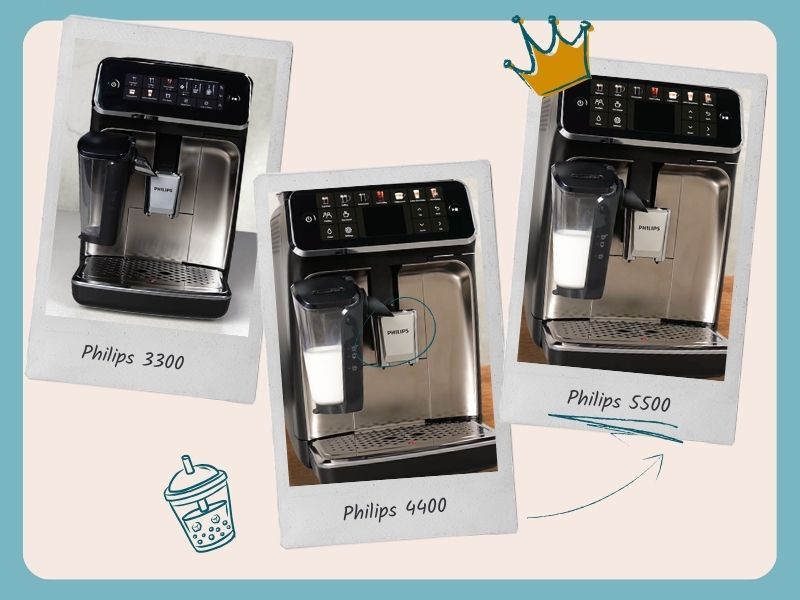
Philips espresso machines are often the “go-to” choice for people looking for something affordable and easy to use. So we had to do a hands-on Philips 4400 review to see if this model fits the bill. We’ve spent several weeks using the Philips 4400 as our daily coffee machine: testing all the coffees, playing with all the settings, living with the milk system, and cleaning all the parts. This review is based on that experience, not just specs, so you can tell if it’s the right espresso machine for you.
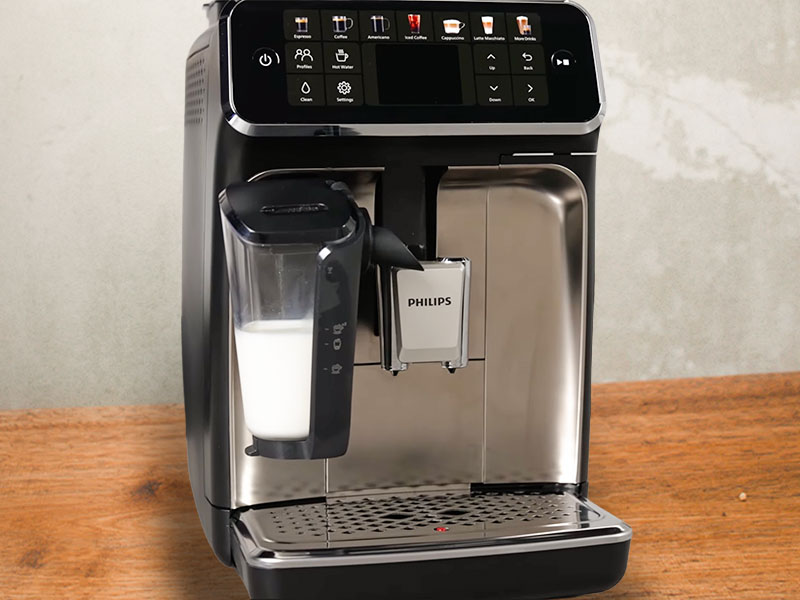
The short version? The Philips 4400 delivers on its promises. It’s really easy to set up and use. Adjusting drinks and saving them to your profile is fast and simple. The milk frothing system works well and cleans quickly and easily. In fact, cleaning in general is minimal. It’s also quiet when grinding and brewing.
But whether it’s worth buying comes almost entirely down to price. At full retail, there are better options. Ones that will deliver better quality coffee more consistently, and don’t need a long “calibration” period when you first open the box (more on that later…) On sale, however, it becomes a very appealing beginner-friendly machine.
There are definitely a lot of people who will love this machine – there’s a lot to like. Below, we’ll break down what it does well, where it falls short, and who should (and shouldn’t) buy the Philips 4400.
This article may contain affiliate/ compensated links. As an Amazon Associate, we earn from qualifying purchases at no additional cost to you. For more information please see our disclaimer here.
Weekends are made for little treats and big savings
Especially with Amazon’s Big Spring Sale knocking out savings of up to 40% on coffee gear
We’ve combed through the sale to find the genuinely good deals on espresso machines, grinders, and coffee gadgets (not the fake “discounts” 👀). If you’re thinking about upgrading your setup, this is where to start:
At a Glance: Philips 4400 Review
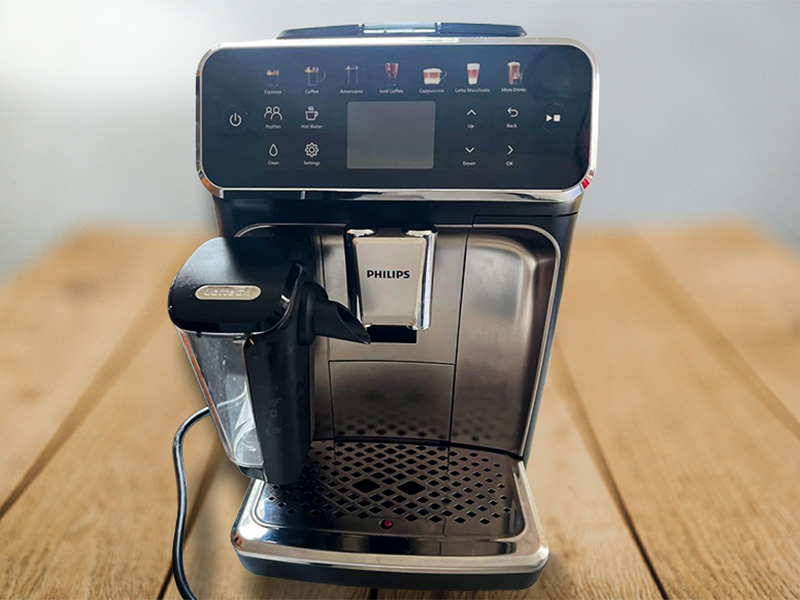
Verdict:The Philips 4400 is an excellent beginner super-automatic espresso machine only when discounted (which it frequently is).
It’s extremely easy to use, fast to clean, and makes consistently good coffee once it has fully settled in. The milk system works well and is one of the simplest we’ve used in this price range.
However, at its full retail price of around $1,050, it’s outperformed by competitors from Gaggia and Breville on coffee and milk quality for similar money.
You’ll also need to “break-in” the Philips with 10-20 weak coffees that are destined for the bin. So you have to be willing to put in some groundwork before you get good results.
Bottom line:
- Buy it if you want maximum simplicity and find it on sale
- Skip it at full price, or if coffee quality matters more than convenience
Pros
- Ceramic burr grinder for long-term durability
- Easy to use interface
- Good espresso once fully broken in
- Easy to clean milk carafe
- Quiet operation compared to older Philips models
- 2 user profiles to save drinks to, plus a guest profile
Cons
- Takes 20+ coffees to set up, wasting beans and your precious time
- Not as good as the competition at full price
- Not the best looking machine
- Limited milk texture control (can’t produce a true flat white)

Who It’s For (And Who It’s Not)
✅ Buy the Philips 4400 if:
- You want everything to be as easy as possible. Philips excels at making everything simple, from setup to brewing to cleaning – you really don’t have to read the instructions.
- You love iced coffee. Having the choice of over ice espresso, coffee, and Americano is great for our fellow cold coffee lovers.
- Minimal cleaning is important to you. I cannot understate just how good it is to have a really easy-to-clean milk carafe.
- You value ease over looks. The elements of the coffee menu and user interface that make it so simple to use also make it less pretty, if that matters to you.
- You want a quiet espresso machine. A 40% noice reduction over previous models is really useful for those with thin walls and light sleepers.
❌ Skip it if:
- The machine is full price. The 4400 is frequently discounted in major sales events throughout the year (like Prime Day and Black Friday), so we’d recommend waiting until it’s discounted. If you’re in a rush, there are better options at the RRP.
- You enjoy adjusting settings. While the critical strength, temperature, and volume options are there. There isn’t a lot to play with on the 4400.
- Coffee quality is your number 1 priority. The coffee is good, but other machines produce far better quality for the same price.
- You’re a flat white drinker. The Philips 4400 milk foamer can’t produce that perfect texture for your coffee. No matter what you do to the settings.
- Your kitchen aesthetic is very important to you. It’s not the prettiest machine, and it doesn’t fit with a stylish kitchen.

Key Features Review
1. Simple Interface
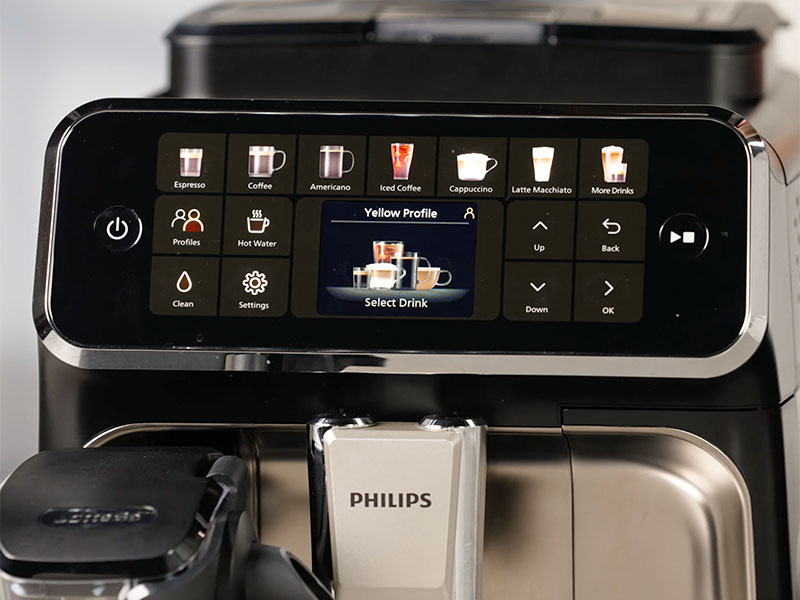
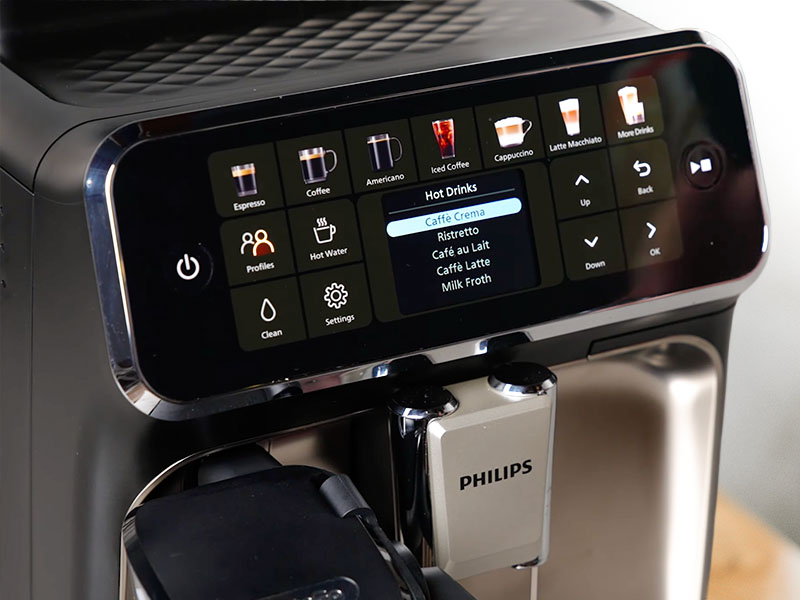
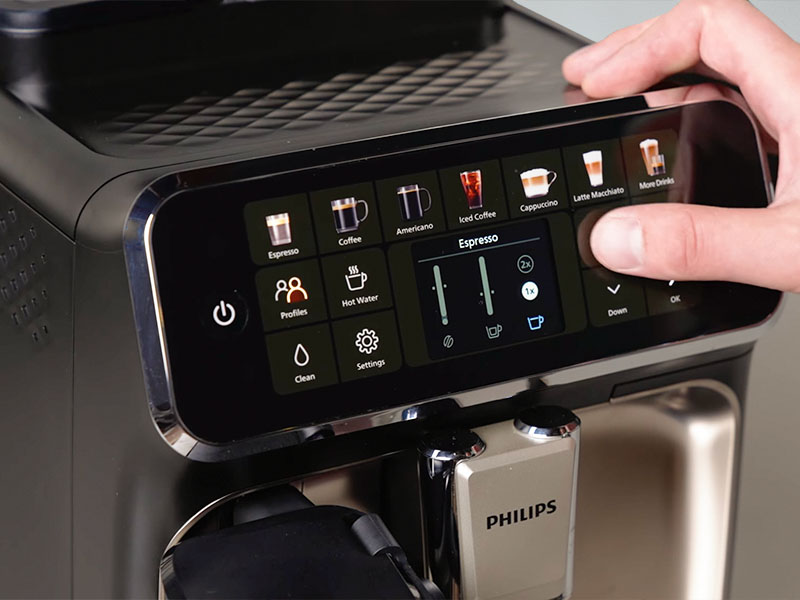
The icons and clearly marked soft-touch buttons make the 4400 simple for anyone to use. Even adjusting your coffee is clearly laid out and intuitive to use. There’s absolutely no learning curve – my 93-year-old Grandad even managed to work it out.
It maybe isn’t as aesthetically pleasing as some of the other touch screen options, but simplicity is sometimes best.
2. Twelve Coffee Recipes
Most of the favorite options are covered in the built-in 12 coffee recipes, plus the option for just hot water and milk foam. You can choose from:
- Ristretto
- Espresso
- Café Crema
- Americano
- Coffee
- Café au Lait
- Latte Macchiato
- Cappuccino
- Café Latte
- Iced Coffee
- Iced Americano
- Iced Espresso
3. Ceramic Burr Grinder
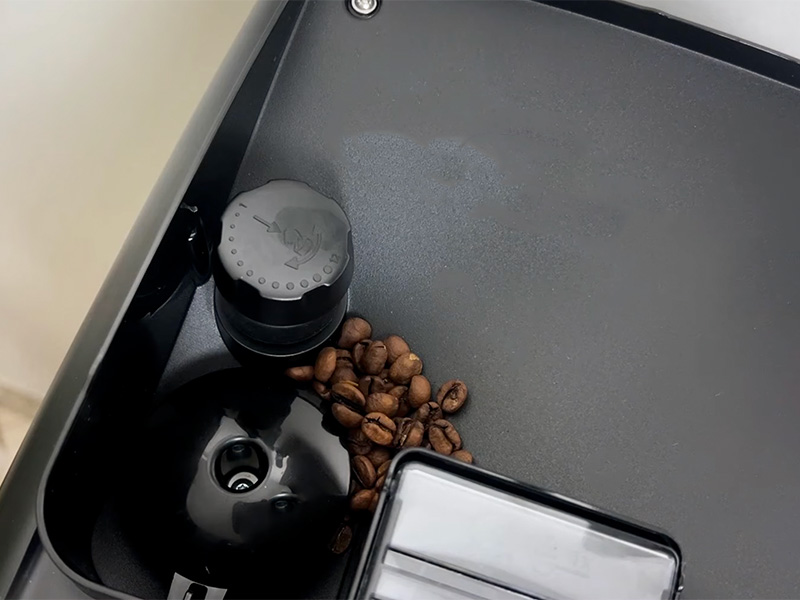
Ceramic grinders have two advantages over the more common stainless steel grinders when it comes to the quality of your coffee:
- Cermaic burrs don’t get hot as quickly, this keeps the delicious flavor oils from your beans in the grounds, and
- Ceramic burrs don’t go blunt as quickly. Sharper burrs mean better grinding, which means better coffee for longer.
4. Quick Cleaning Milk Carafe
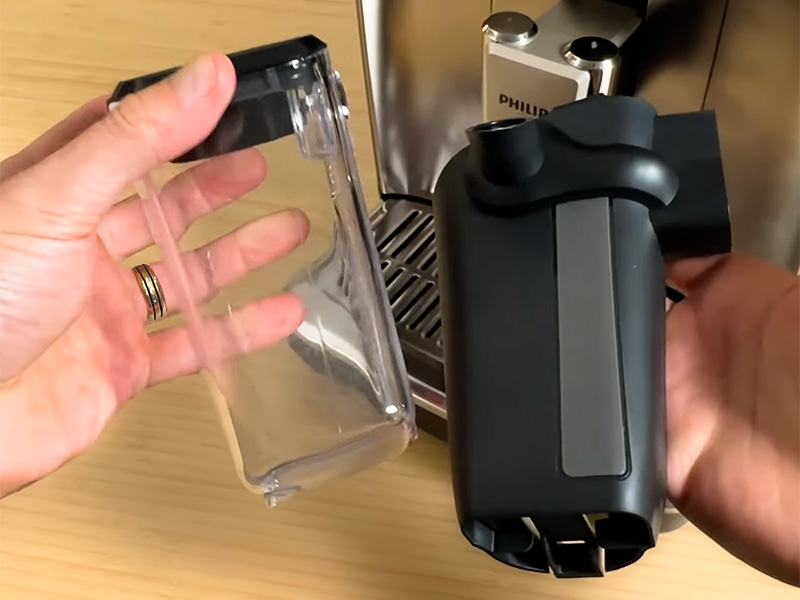
The LatteGo milk carafe is fantastic for getting great milk foam at a touch and for storing leftover milk in the fridge for later. We’re huge fans of the Philips system. The carafe has helpful markers on the outside so you can add just the right amount of milk for the drink you want. And it can be cleaned in under 30 seconds.
5. Quickstart
Quickstart means you can have a coffee brewing around 30 seconds after turning the machine on. Perfect for those mornings where time is of the essence (like when you stayed in bed longer than you should…)

How Easy to Use is the Philips 4400?
The hallmark of a Philips espresso machine is that literally anyone can use one.
All the coffee icons are laid out in front of you alongside arrows and an “ok” button to make your selections. Then there’s an extremely obvious “play/stop” button that lights up at the side. It really is spelled out exactly how you get coffee from this thing.
Right from the get-go, operating the 4400 is extremely easy. The initial setup is helpfully explained on the screen, or you can watch videos using the Philips HomeID app if you prefer. Even when adjusting various settings or saving drinks to the 2 user profiles, it works exactly how you’d expect it to and will hold your hand the whole way.
Where it gets annoying, however, is that the first 20-30 times you use it, you’ll get watery, bad coffee. This is frustratingly normal for a Philips espresso machine – it’s doing internal calibration stuff. A lot of people return their Philips during this phase, so it winds us up that Philips doesn’t do whatever it is they need to do in the factory to stop this.
💡 Be prepared. Buy some cheap beans, run through a load of coffee that you don’t mind wasting. Then you should be ready to go.
Yes, it’s wasteful and annoying. But you’ll be golden once it’s over.
After this, our preferred settings were the second finest setting on the grinder, max aroma (g of coffee), the highest temperature, and 30ml volume for our espresso. This was using medium roast beans, so if you use a darker roast, then start a couple of settings coarser on the grinder.
Your settings will be saved in one of two user profiles, which you can switch between by pushing the “profiles” button. There is also a guest profile for someone to use without messing up your settings. (If you need 4 user profiles, you’ll need to spring for the Philips 5500 instead.)

Grounds or Whole Beans?
Using freshly roasted whole beans is the best way to get great coffee.
For many people, the move from pre-ground or coffee pods to freshly ground coffee beans will be the biggest leap in the quality of their coffee at home. Ground coffee goes stale very fast, within 1 hour, so the taste improvement will be immediately noticeable.
This is true of all coffee, but with the Philips 4400, you really benefit from having the built-in ceramic burr grinder. Ceramic burrs aren’t overly common on super-automatics, but they’re the superior choice. They stay sharp for longer and don’t overheat, which preserves the oils that give espresso all its delicious, rich flavors.
There are a few small caveats to keep in mind:
Only adjust the grinder while it is running, clean it out every couple of weeks, and ensure nothing more solid than a coffee bean gets into it. Ceramic is more brittle than stainless steel, so if a small stone got in there (not unheard of), a ceramic grinder will chip, rendering it useless.
This is very, very rare, but just something to be aware of.
In practice, these are minor issues, and overall, the grinder contributes significantly to the quality of the espresso. This puts the Philips 4400 a step above most entry-level super-automatic machines.
There are 12 grinder settings to choose from, though, in reality, it’s unlikely you’ll ever use the 6 coarsest settings.
There’s also a pre-ground coffee chute for occasional use, like maybe the odd decaf or flavored coffee. Maybe someone you hate who doesn’t deserve your good beans. Just know that it won’t deliver the same depth of flavor.
The bean hopper holds 9.7oz (275g), which is a whole bag of beans from many roasters, though maybe not Lavazza or a similar large-scale producer.

Design & Build Quality Review
The Looks
Silver and black – a timeless combo that fits well in anyone’s kitchen.
I personally don’t like the color icons on the machine, though they’re a big step-up over the Philips 3300. I don’t really have a good reason for this; it makes me think of a child’s toy or a vending machine. Maybe I’m just spoiled by the slick, beautifully minimalist machines from Jura or KitchenAid.
But if you don’t have any issues with the display, then this is a high-end looking coffee machine with a finish that doesn’t easily get covered in fingerprint marks.
Next to consider is how it will look in your home, and that often comes down to the most important coffee machine dimension: width. The 4400 is 9.7″ (24.6cm) wide. It should squeeze nicely onto most countertops; it’s 17lbs (8kg) if you need to move it.
It’s 14.6″ (37.1cm) tall and 17″ (43.3cm) deep. Thankfully, the water tank is accessed from the front, which makes the height less of an issue. But you still need access to the top for the bean hopper.
The compromise on looks is that the interface is really easy to use, which is probably worth it for many people. But as long-time users of coffee machines with touchscreens, and touch screen technology in general, we’d rather it were prettier (so shallow, I know).
The Build
We like Philips as they have a long history of making good quality products. They also offer a 2-year warranty as standard with their espresso machines, and you can sometimes get an extra year by registering it too.
When you use the machine, it makes you feel that it’s been well-made, too. All the pieces fit together nicely; they feel sturdy. This is about the best you can tell in a few weeks. We didn’t attempt to break anything to see what they can handle… so maybe don’t drop it.
Philips has been using the same internal brew unit for a while. Aside from the bedding-in issues we’ve already talked about, there’s nothing to be concerned about with the longevity of the brew unit or grinder. (As long as you clean them properly.)

How Good is the Coffee from the Philips 4400?
You’ll get good coffee from the 4400. We’re just not convinced it’s good enough for the price.
Getting the best coffee from the Philips 4400 will take a little trial and error, as is true with most super-automatic espresso machines. We always start on max dose, max temperature, and finest grind setting, then go from there.
The longer brewing coffees, such as cafe crema and coffee, are automatically adjusted inside the machine. You don’t need to change grind settings for all the different coffee styles.
We found that almost all the coffee volumes are big on factory settings, but it’s very simple to reduce the volume. Similarly, the milk volumes are easily adjusted to get your perfect coffee.
If you want to get nerdy, the maximum amount of coffee is 11-12g per brew, depending on roast and grind size. The minimum is 6-7g. So your 5 “aroma” settings are adding 1g of coffee each time. This is maybe only important for those of us who like to know the beans in to coffee out ratios. But it also helps if you want to work out how much having a machine has saved you money over your cafe habit.
LatteGo
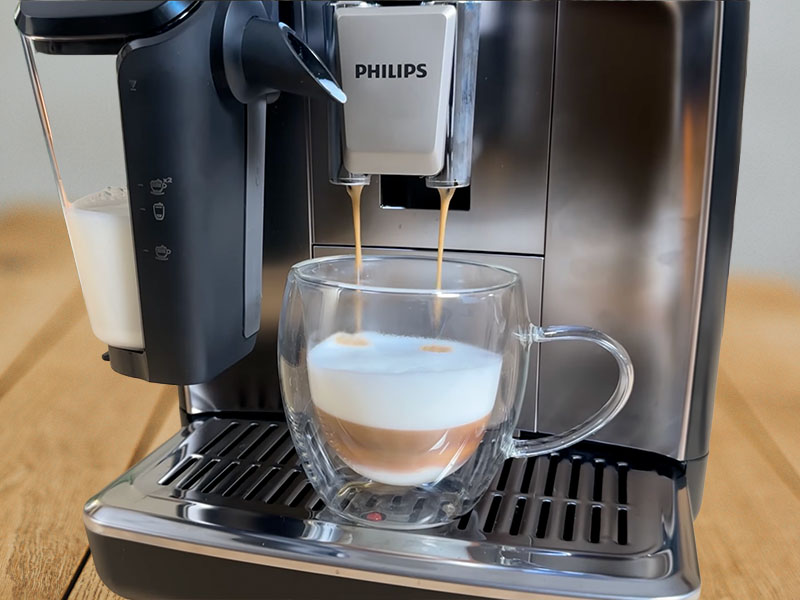
The LatteGo milk frother is a real triumph for frothing milk at the push of a button.
Don’t get me wrong, it’s not the most versatile in terms of milk texture, but it’s very good at what it can handle. Coffees that are more foamy, like a cappuccino, are where it excels. If you’re looking for more silky smooth milk for a flat white, you’ll be disappointed.
I also love how easy it is to clean – do not underestimate how big a deal that is. The carafe slides on and off easily and comes apart so you can clean it in 30 seconds.
The level indicators on the outside of the container will help you add the right amount for whatever drink you’re making. Unless you’ve customized the milk volumes, of course. If you get this section wet, don’t rub it dry with a towel, as you might rub off the level indicators.
It also works well with various plant-based milks. We use a barista oat milk, but it should be fine with any of the usual suspects like almond, soy, cashew, etc.

Ease of Cleaning
Everyone’s favorite part of owning a coffee machine is (not) cleaning it.
Maybe the biggest question for many buying a coffee machine is, how much cleaning do I have to do?
With the Philips 4400, it’s thankfully very little. The absolute bare minimum is emptying the drip tray and puck bin every few days and rinsing the milk carafe after use. If you use their water filters and don’t live in an area with very hard water, this is all you’ll have to do for years.
There are other tasks you should do because they’ll keep your machine running better, last longer, and your coffee tasting more delicious:
You should remove the brew group and rinse it out weekly. It’s easy to access from the side and takes less than 2 minutes, though you need to wait for it to fully air dry before putting it back in.
You should also vacuum the grinder every couple of weeks. It sounds silly, but it does help.
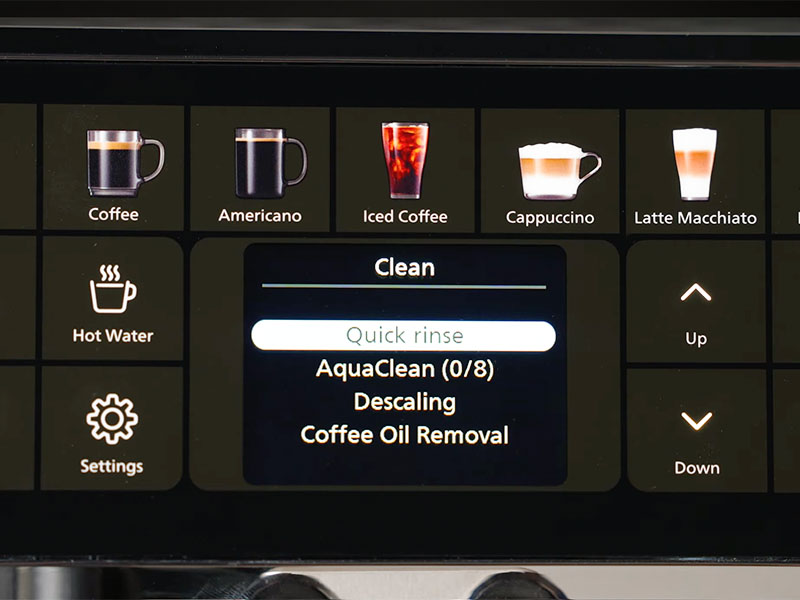
You can also clean the oils out of the brew group using a branded cleaning tablet. There is an option to do this from the menu. A total of less than 20 minutes a week is needed to keep this machine in top condition.
If you need to descale your Philips 4400, it will notify you when to do so. The process takes around 25 minutes, and the screen on the front will guide you through it.
This is at the lower end of what’s standard for an automatic espresso machine, so don’t let cleaning be a reason to put you off.

Competition
Philips is all about value and ease. We know the 4400 is very easy to use, but how does its value stand up to the competition?
Gaggia Cadorna Prestige
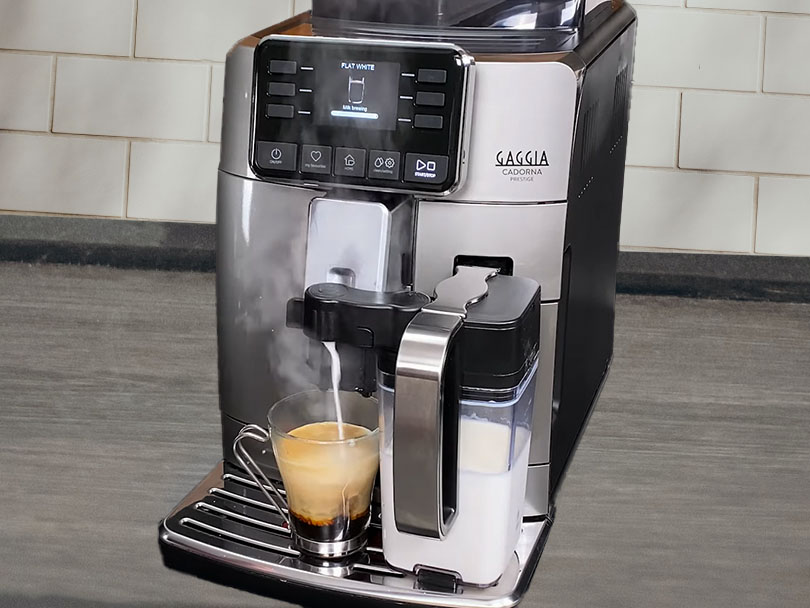
At RRP, the Cadorna Prestige is exactly the same price as the 4400. But for that money, we feel you get a much better espresso machine, though it isn’t without its drawbacks.
The Gaggia Cadorna Prestige offers one more drink option, 13 vs 12. But more crucially, it offers a couple of favorites that the 4400 doesn’t – the cortado and flat white. So if you’re a cortado or flat white drinker, then this should be a no-brainer: pick the machine that makes the drink you like.
That said, it only makes one over-ice coffee, rather than the three on offer from the 4400.
You’ll need to experiment with the Gaggia to get the settings right. But we found that in 5-10 coffees we were getting great results, whereas the Philips took well over 20.
The interface isn’t as slick on the Cadorna Prestige, and the milk container is A LOT more annoying to clean out with its little tubes.
We’re happy for the slight cleaning annoyance and the interface to be worse for better coffee and milk. But if convenience is your number 1 priority and the Philips makes your favorite drink, then you’re probably better off with the Philips 4400.
Read next: Our in-depth Gaggia Cadorna Prestige Review
Breville Barista Touch
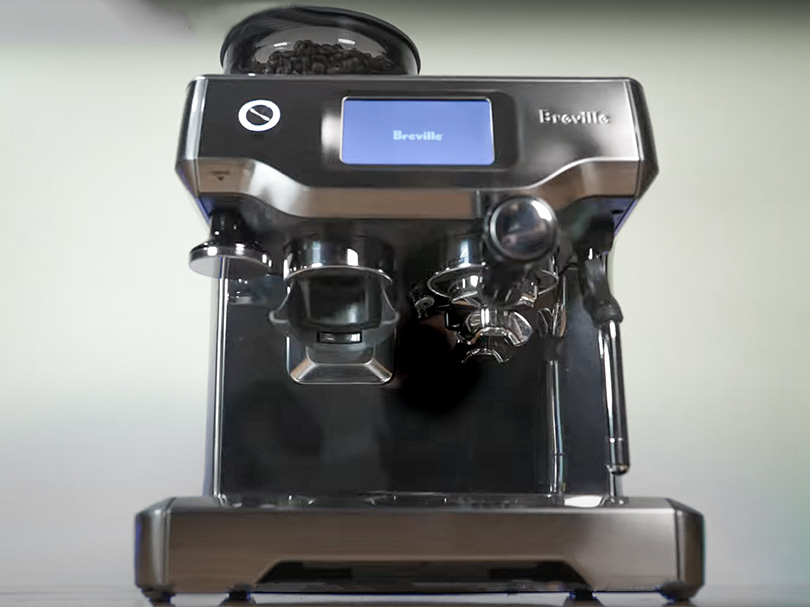
The Breville Barista Touch is a very different animal and costs $50 less at RRP ($1000).
It looks more like a classic espresso machine, and you’ll have to be a little more involved. You’ll need to tamp the grounds yourself and move the portafilter from the grinder to the brewing section. Hardly complex, but it’s not a one-touch operation.
There’s also a classic milk wand to foam milk in a jug. This has an automatic sensor, so you can still let the machine do this for you. Or you can try your hand at being your own barista and take over control of this.
It is still an automatic machine, though. Choose a drink, and the machine will do all the complex bits for you. It’s also really, really good at it. You can get incredibly good espresso and milk from the Barista Touch. Far superior to either the Gaggia or the Philips.
You’ve just got to work a little for it. It’s also wider and heavier than either of the other two machines.
We don’t mind doing a little work for better coffee. But for anyone looking for simplicity, this is maybe just a little too much to do.
Read next: Our in-depth Breville Barista Touch Review

Final Thoughts
A really good machine, but not as good as the Gaggia Cadorna Prestige.
We went into this hands-on Philips 4400 review with high hopes. And we were generally pretty impressed. It’s a good espresso machine that we got tasty coffee and lovely milk foam from. We loved how easy it was to clean the milk carafe, and the user interface is fantastic for beginners to espresso machines.
Its just that at full price, it isn’t as good as the Gaggia Cadorna Prestige. The coffee isn’t quite as good, the milk isn’t quite as good, and the drink options aren’t quite as good. The one caveat to this is if you drink iced espresso, as the Gaggia doesn’t offer this (only longer over ice black coffee), but the Philips does.
The Philips 4400 is often found in the sales with a very nice discount, though. Then it becomes an awesome value machine that you just need to be patient and run 20-30 cycles through to let it settle in.
The verdict? Check the price. If it’s full price, then grab a Gaggia instead. If it’s discounted, buy the Philips 4400 – it’s a great choice.

You Might Also Like
-

Miele CM 6360 Review: Beautiful, Powerful, But Is It Right for You?
In this Miele CM 6360 review, we share our hands-on thoughts on who should buy it, who shouldn’t, and how it compares to Jura and Breville
-
Best Philips Espresso Machine: We Tested the 3300, 4400 vs 5500
Confused by the 3300, 4400, and 5500? We tested all 3 to show the real differences and help you choose the best Philips espresso machine