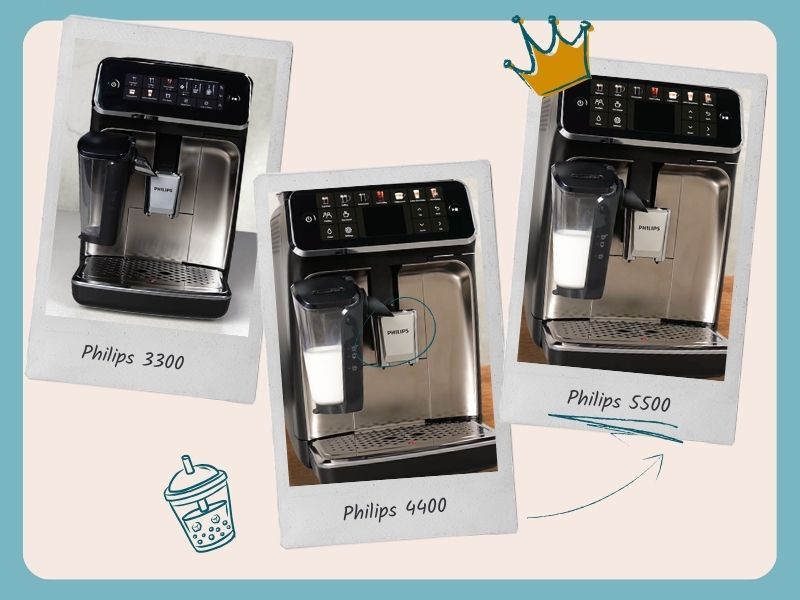
Philips automatic espresso machines are known for being easy to use. But can a machine stay that simple while offering genuinely premium features? We’ve been using the Philips 5500 as our everyday machine for a few weeks, brewing dozens of coffees, playing with the settings, cleaning it out, and drinking a lot of coffee. This Philips 5500 review is our honest thoughts from that experience – and if we’d be happy to keep this machine as our only espresso maker.
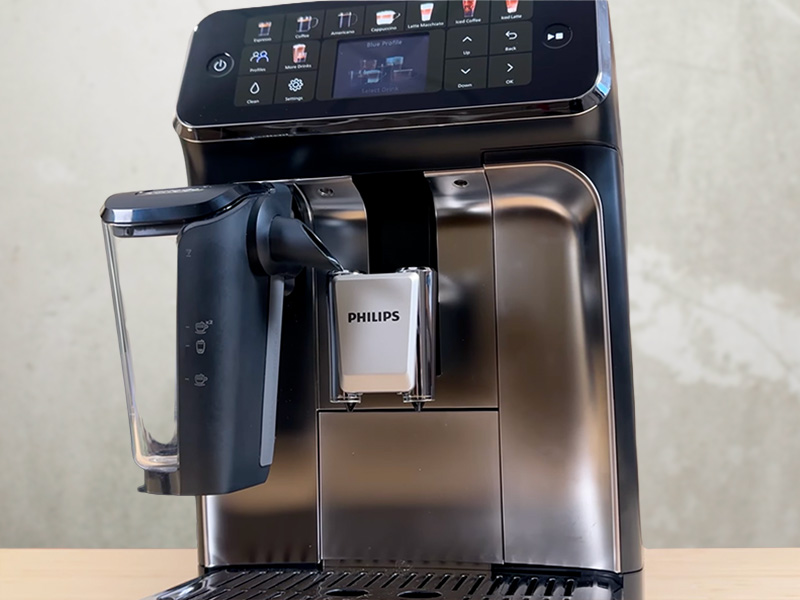
If you’re a beginner looking for a push-button espresso machine that’s easy to use and clean, the Philips 5500 is a great choice when it’s on sale. At full price, there are better machines that make better coffee for the money.
It does exactly what it’s designed to do: it’s extremely easy to set up, simple to use thanks to the clear display and buttons, and it’s quick to clean. Premium features like 5 user profiles, a wide drinks selection (including iced drinks), and the “Extra Shot” button add real value over cheaper Philips models.
However, it shares similar drawbacks to other Philips machines. It takes 20-30 coffees to properly settle in. The coffee and milk aren’t as good as the competition at full price ($1400 RRP). And the design feels a little dated. In this hands-on review, we’ll break down everything that’s great (and not so great) about this machine so you’ll know if it’s right for you… or if you should look elsewhere.
This article may contain affiliate/ compensated links. As an Amazon Associate, we earn from qualifying purchases at no additional cost to you. For more information please see our disclaimer here.
Weekends are made for little treats and big savings
Especially with Amazon’s Big Spring Sale knocking out savings of up to 40% on coffee gear
We’ve combed through the sale to find the genuinely good deals on espresso machines, grinders, and coffee gadgets (not the fake “discounts” 👀). If you’re thinking about upgrading your setup, this is where to start:
At a Glance: Philips 5500 Review
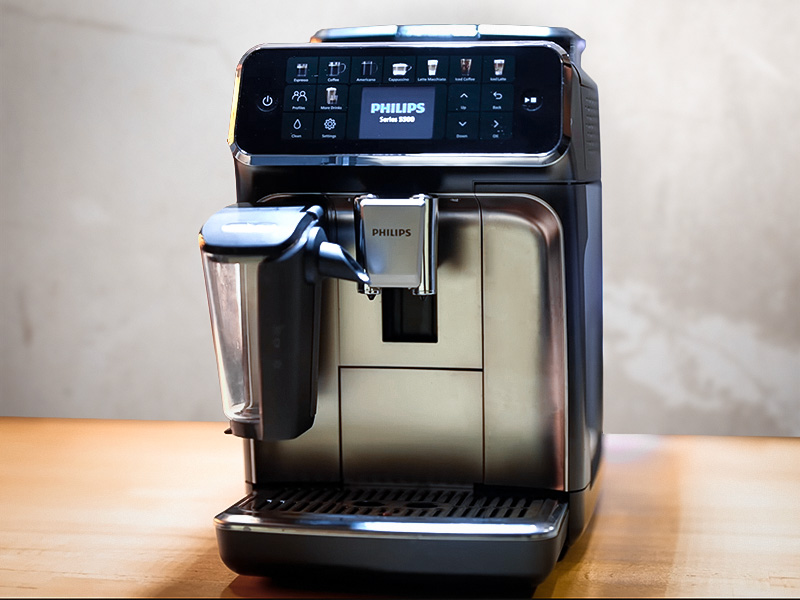
Verdict:The Philips 5500 is an extremely easy-to-use espresso machine with a great range of drink options, and is very easy to clean. If you’re looking for simplicity, this is a great choice. Features like the Extra Shot and having multiple user profiles make it a noticeable upgrade over cheaper Philips models.
But at its $1400 RRP, it’s a little too expensive for us to wholly recommend. The coffee and milk quality don’t match up to similarly priced competitors, and you’ll need to run 20-30 coffees through it before you get a good one.Buy the Philips 5500 if you find it discounted (which it regularly is, so it’s worth waiting) and simple, convenient coffee is your priority.
Skip it at full price – there are better machines available for the money (more on those later…)
Pros
- High-quality ceramic grinder for good flavor retention
- Very easy to use and keep clean
- Good espresso for a super-automatic
- Excellent milk foam
- Excellent selection of hot and iced coffees
- “Extra shot” button is a great feature
- Quieter than many others
Cons
- Coffee isn’t as good as others at this price
- You have to make over 20 coffees before you get good ones
- Milk is too foamy for flat whites
- Expensive for what you get at full price
- Dated design

Who It’s For (And Who It’s Not)
✅ Buy the Philips 5500 if:
- You want choice and simplicity. With a very simple interface and lots of drinks, its ideal to replace your daily cafe visit.
- You hate the idea of cleaning a coffee machine. All espresso machines require cleaning. But the 5500 makes it easier than most.
- Iced coffees are your go-to drink. With lots of black and milk-based iced drinks options, it’s a great machine for iced coffee lovers.
- You like a stronger coffee. The “extra shot” feature makes it easy to add some depth (and caffeine) to any drink.
❌ Skip it if:
- Coffee quality is what you care most about. You’ll get good coffee from the 5500, just not as good as the competition.
- You’re a flat white obsessive. The milk from the 5500 is too airy to give that perfect microfoam texture to the flat white so it’ll never taste right.
- Looks are very important to you. The buttons do make it easy to use, but they don’t look great and could look out of place in a stylish kitchen.

Key Features Review
1. Extra Shot Option
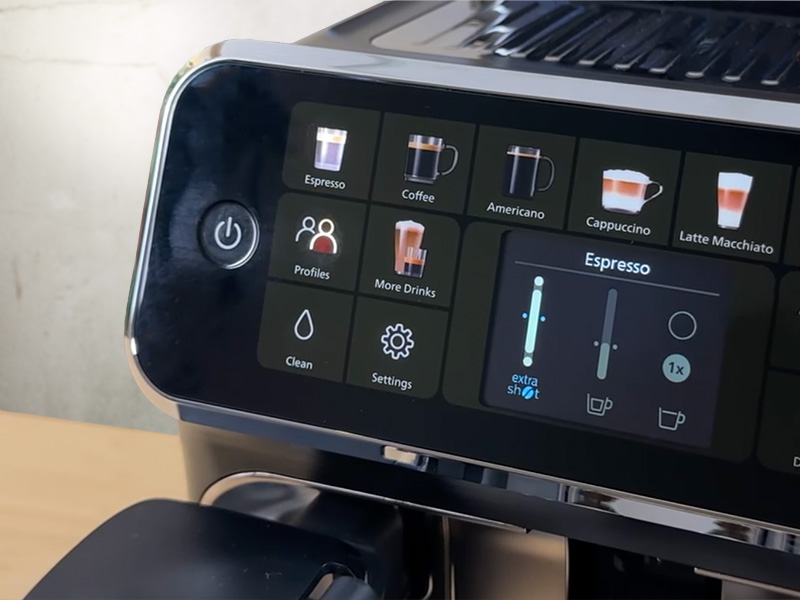
You can add an extra shot of coffee to any drink at the touch of a button. This is a game-changer for depth of flavor, and when you just need an extra hit. Currently, the 5500 is the only machine in the Philips range that offers this.
2. 19 Coffee Recipes, Including Iced Coffee
All of the following drinks are easily accessible via its own dedicated button on the screen, or selecting the ‘More Drinks’ button:
- Ristretto
- Espresso
- Espresso Lungo
- Cafe Crema
- Coffee
- Americano
- Cappuccino
- Latte macchiato
- Flat white
- Cafe latte
- Cafe au lait
- Iced espresso
- Iced Americano
- Iced coffee
- Iced cafe crema
- Iced cafe latte
- Iced cappuccino
- Iced cafe au lait
- Travel mug
- Milk foam
- Hot water for tea
They’re also all customizable using the icons on the display.
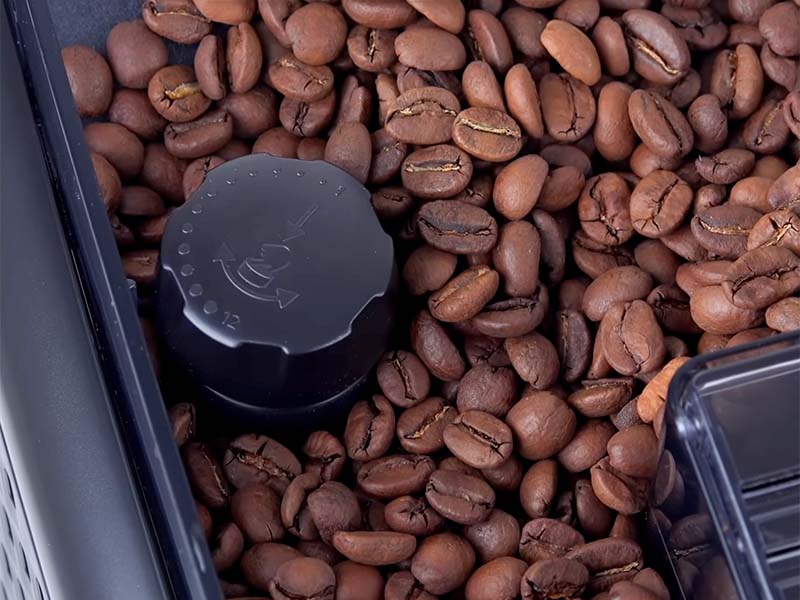
3. Ceramic Burr Grinder
Philips uses ceramic burr grinders in its bean-to-cup espresso machines for a couple of reasons:
- Ceramic burrs are better at heat distribution while grinding, this protects the flavors in your coffee beans and
- Ceramic burrs don’t go blunt as quickly as stainless steel, which can improve the longevity of your machine.
They’re not that common on these types of espresso machines, though, so this is a big plus.
4. SilentBrew Technology
The Philips 5500 is 40% quieter than the 5400. They’ve mostly achieved this with better soundproofing of the grinder and pump, and it makes a huge difference – especially if you live with light sleepers.
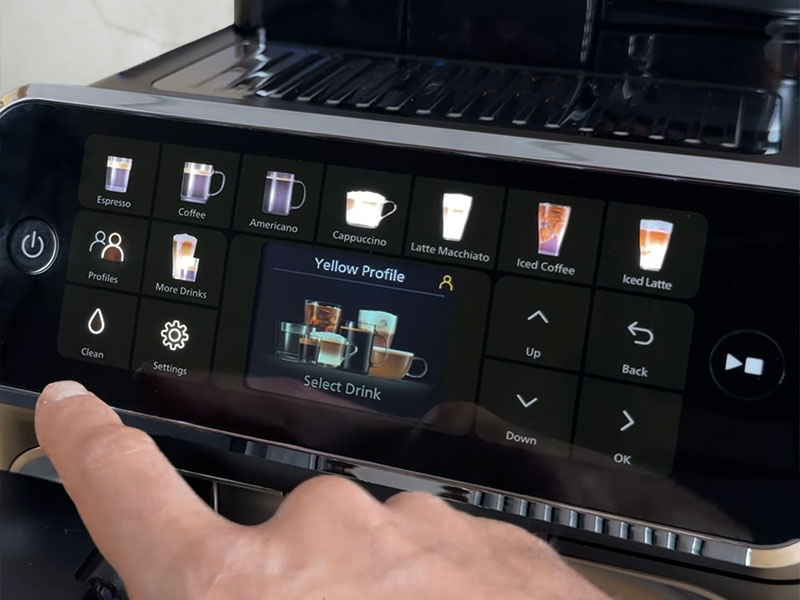
5. Four User Profiles + Guest Profile
If you’re a big household of coffee drinkers and you all like things your own way, the 5500 can save on the arguments. There are 4 user profiles that you can save your preferred drinks settings for each coffee to, plus there’s a guest option.
The next model down, the Philips 4400, only has 2 user profiles, so this makes a big difference if lots of you will share the machine.
6. QuickStart
QuickStart means your Philips 5500 can be ready to brew coffee around 20-30 seconds after switching it on. We’ve tested a lot of super-automatics, and this is genuinely impressive. Compared to some others, this can save you anywhere from 30 to 60 seconds. And on those busy mornings, every second counts.

How Easy to Use is the Philips 5500?
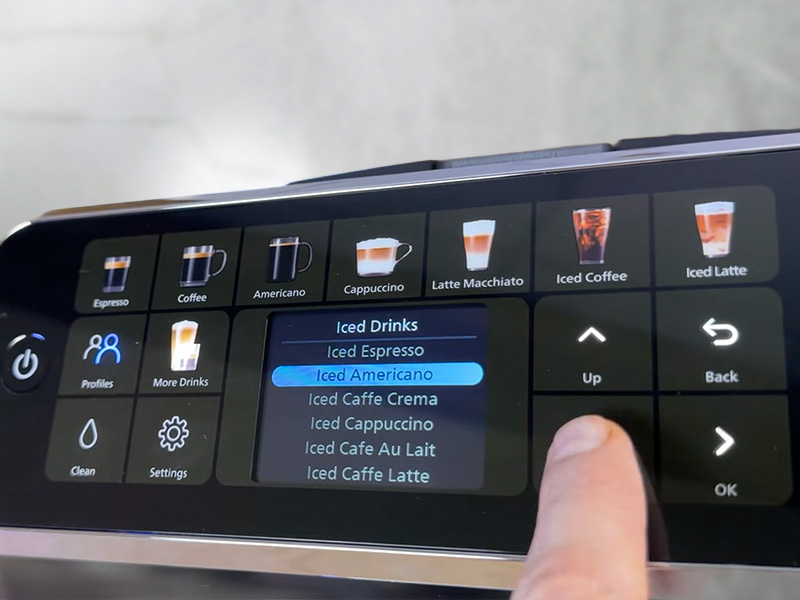
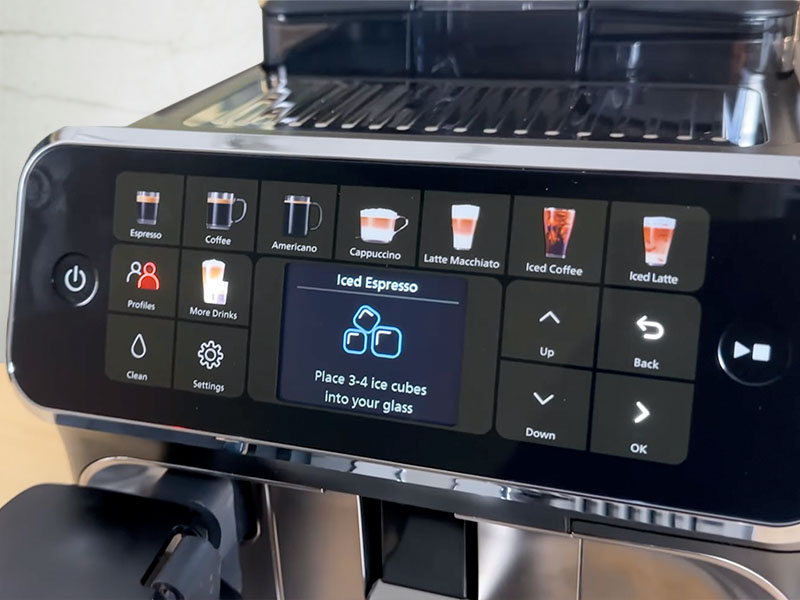
The display and buttons make the 5500 super easy to use.
Philips has decided that using buttons with a display is easier for people to use than having a mobile phone-style touch screen, and they’re probably right. Whenever we’re testing machines, I ask my 93-year-old Grandad to try make a coffee without guidance – and he always manages it with a simple display like this.
Picking your coffee, adjusting the volume and the strength, and saving those settings to your profile is extremely straightforward.
Of the 21 different drinks the 5500 can make (including milk foam and hot water), only 7 have a dedicated quick-access button. For everything else, you’ll need to go into the “More Drinks” menu.
When you’re doing anything more complex than selecting a coffee, like setup or maintenance, it displays helpful animations to show exactly what you’re supposed to do. Something I’m always grateful for.
As with the other Philips espresso machines, the 5500 needs to run a bunch of coffee cycles before you get good coffee from it. Expect to brew at least 20-30 coffees before you start getting good results. We recommend buying a bag of beans as cheaply as possible just to do this with.
This is frustrating as it’s not clearly explained by Philips, and I think it results in a lot of perfectly good Philips machines being returned early.

Grounds or Whole Beans?
Always use whole beans with your fancy new espresso machine.
The Philips 5500 uses a ceramic burr grinder, which helps protect flavor by keeping the heat low during grinding. Ceramic burrs also wear more slowly than stainless steel, so they stay sharp for longer.
There are 12 grinder settings, the same as the grinder on the 3300 and 4400, but beginners don’t need to overthink this. We found that using the 3rd finest setting worked best for our medium roast beans. If you use darker roasts, try a slightly coarser setting.
Always change your grinder setting while the grinder is running, and only move it 1 step at a time. This is to avoid damaging the grinder. Once set, you’ll rarely need to change it unless you start buying vastly different coffee beans.
There is a bypass chute if you want to use some pre-ground coffee. Mostly, this would be for a decaf or something that is a change from your normal beans. We avoid using it if at all possible, as whole beans deliver much better results.

Design & Build Quality Review
The Looks
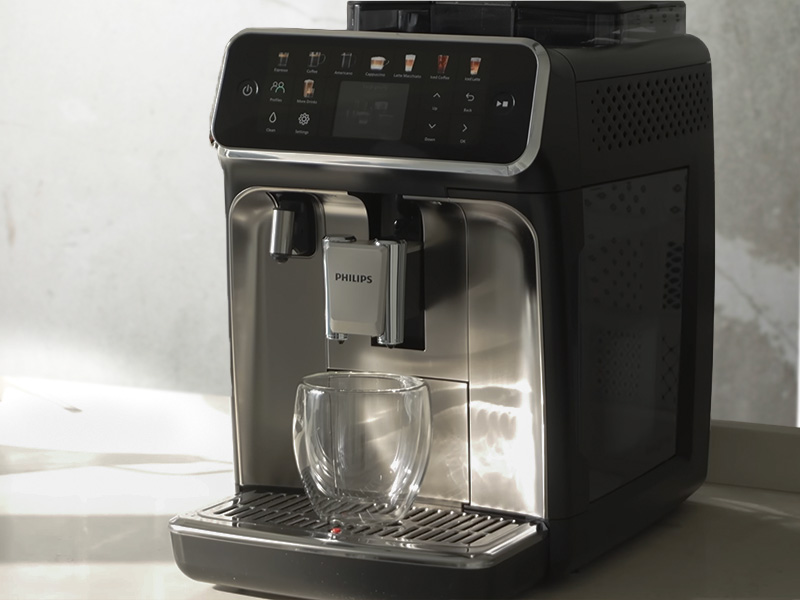
It looks quite nice. The silver and black combo is always a winner; it has a nice color display and metal accents.
We don’t love all the buttons aesthetically. It’s just personal preference, but we think the more minimalist machines from Jura and KitchenAid are far better looking. If you prefer a “classic” espresso machine look, then Breville is the company for you, though their machines work very differently.
We’re probably far too harsh on Philips for the looks of their machines. No one is going to see this sat on your counter and think it looks ugly. It just looks a little dated to us. Maybe we’re the problem here though.
The Build
All Philips espresso machines are mostly made of plastic, but that’s pretty normal on super-automatics these days. All the components are nicely made, feel sturdy, and fit together well. The new bean hopper lid on the 5500 has an excellent seal, which is partly responsible for the noise reduction.
All the Philips series machines have the same basic body. They’re all the same size: 9.6 inches wide, 14.6 inches tall, and 17 inches deep. This makes them relatively compact compared to many of the other options.
They should also easily fit underneath any cabinets you have above your worktop – though definitely double check this before buying, as you need to fill the bean hopper from the top.
One of the great things about big manufacturers like Philips is that their quality control is really good. You shouldn’t have any issues with your new Philips espresso machine, but they offer a 2-year warranty if you do.

How Good is the Coffee from the Philips 5500?
The biggest upgrade with the 5500 over the other Philips machines is the “Extra Shot” feature.
In simple terms, the 5500 makes good, but not amazing, coffee for the price. It uses the same internal brewing system as cheaper Philips models. So, while the results are decent, they won’t blow you away in the same way that other machines can.
The Extra Shot feature does make a huge difference. Every coffee we made with an extra shot tasted miles better – they were richer and fuller-tasting. Compared to the Philips 3300 or 4400, it’s a big step up.
We used the second-finest grinder setting, max temperature, and 1oz volume to get the best results from our medium roast beans.
The downside to this is that you’re using more coffee (20-22g) per drink, so the value for money drops off. If you owned a Jura machine, you’d only be using 15-16g at full strength. For most people, this won’t be a dealbreaker, but it’s worth knowing.
At full price, there are alternative machines that make better espresso, though you don’t always get as many drink options. So, if coffee quality is your top priority, the Philips 5500 probably isn’t The One (or at least not until the sales come around).
Over Ice Coffee
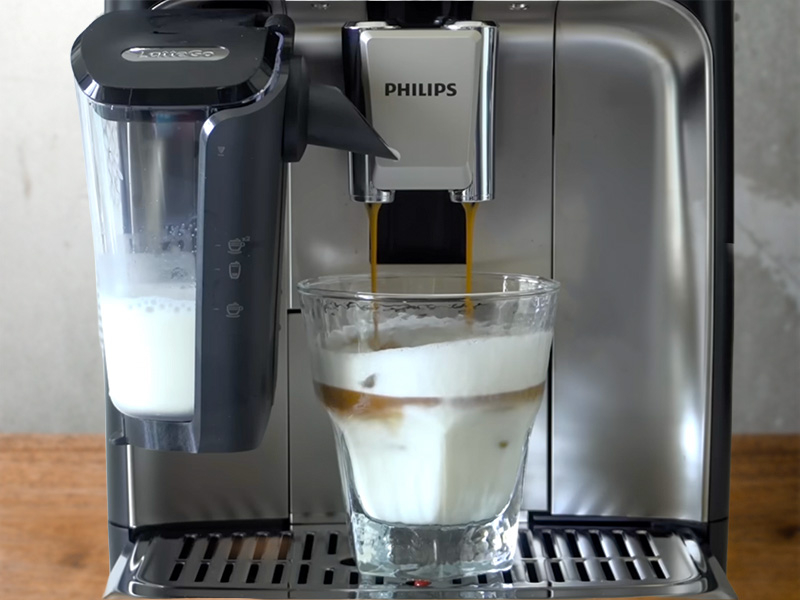
Iced coffee is a big strength of the Philips 5500. Especially with iced coffees quickly becoming more popular than hot options.
The machine does what most super-automatics do: it brews coffee at a slightly lower temperature over a specified number of ice cubes to create each iced drink. This works well to prevent your drink from tasting watery or bitter, and gives you a smooth iced coffee with no extra steps. (Other than taking ice out of the freezer.)
If you want more iced options than the Philips offers you, then you generally have to spend a lot more. We’ve also reviewed the DeLonghi Eletta Explore which has an insane number of iced coffee options. Or the Jura Z10, which is the king of cold coffees, but costs well over double the price.
Milk System
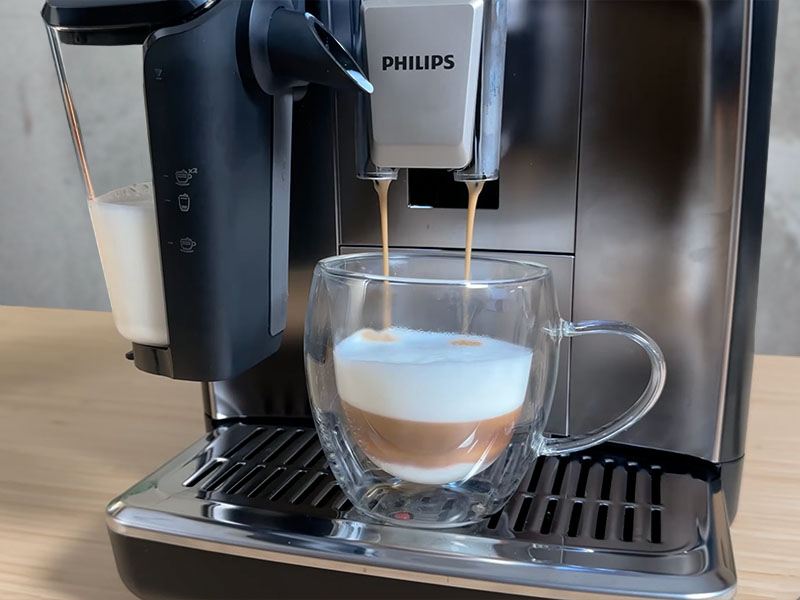
We love the Philips LatteGo milk system.
It’s so easy to put together, produces consistently nice textured milk, and is much easier to clean than basically any other milk system on the market. This makes it ideal for beginners who don’t want extra hassle.
The milk foam tends towards the larger-bubbled, airier side. This is great for cappuccinos, but if you’re a flat white fanatic looking for that perfect texture from the microfoam, it doesn’t really nail it.
For iced drinks, the milk is still steamed warm to create texture. As long as you add the recommended number of ice cubes, it’s pretty good at getting the temperature right.
Overall, for most people, the milk quality will be more than good enough. And the ease of cleaning might be enough to convince you anyway.

Ease of Cleaning
We’d love a self-cleaning coffee machine. Until then, this is about as simple as it gets.
On a day-to-day basis, you’ll need to empty the coffee pucks and drip tray and rinse out the milk system, if you use it.
Weekly, you should properly clean the milk container and rinse out the brew group. It only takes 30 seconds with warm water, and then you need to leave it to air dry for a couple of hours.
Every few months, you should vacuum out the grinder and lubricate the spring in the brew group. This sounds more complicated than it actually is, and Philips has videos on its app that show you how to do all the maintenance tasks, though most are pretty self-explanatory.
If you use the branded water filters and don’t have crazy hard water, you should only need to descale your machine once a year or maybe even less.
This maybe sounds like a lot of cleaning and maintenance, but it takes very little time. You’re spending maybe 20 mins a week cleaning your machine, probably less. This will keep your machine in top condition for years, and your coffee tasting at its best, so it’s well worth a little bit of effort.

Competition
The Philips 5500 is quite an expensive machine, there are other great options at this price.
De’Longhi Rivelia
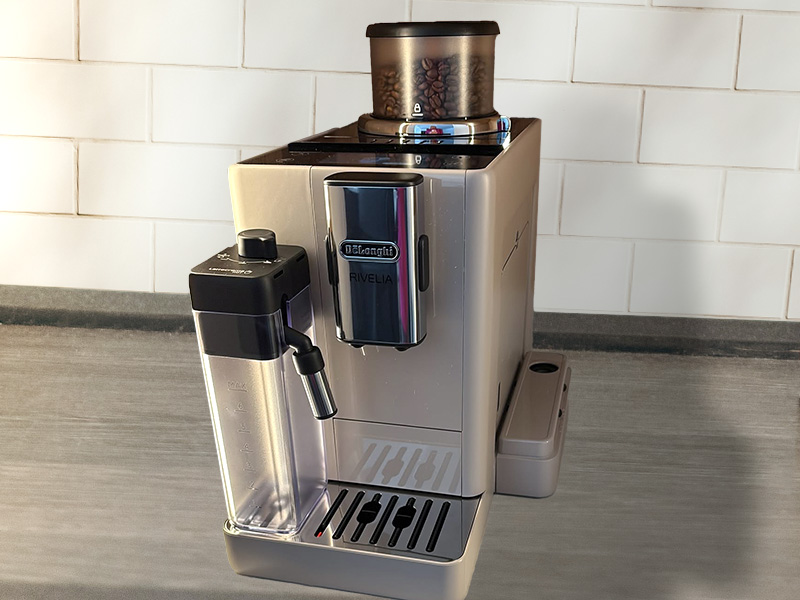
The DeLonghi Rivelia is $100 more expensive at RRP ($1500), however, there are several reasons why you might think it is well worth paying a little more for it.
For starters, the DeLonghi espresso is better than the Philips, without a doubt. We also feel that the milk foam is better on the drinks that require microfoam, such as a flat white.
There’s the option to swap out bean hoppers, which is very useful if you like caffeinated coffee in the mornings but decaf beans in the afternoons, like us. It has a really cool “Bean Adapt Technology” that helps you get the best flavor out of different coffee beans you try.
We also think it looks much nicer.
However, the DeLonghi doesn’t offer any iced milk-based drinks. Not unless you buy the additional Cold LatteCrema system for another $130 or so. This really annoys us on an already expensive machine, but if you don’t drink iced drinks, it’s not a problem.
The milk system isn’t as easy to clean as the fantastic LatteGo system on the Philips either.
If both machines were full price, we’d pay the extra $100 for the DeLonghi to get better coffee, milk, and looks. We’d probably save up to get the cold milk system too, for those hot summer days.
But the Philips 5500 is frequently discounted, so if it is significantly cheaper, then it’s the better option. But make sure to check the price of the Rivelia too, as we find it discounted a lot too.
Read next: Our in-depth De’Longhi Rivelia review
KitchenAid KF6
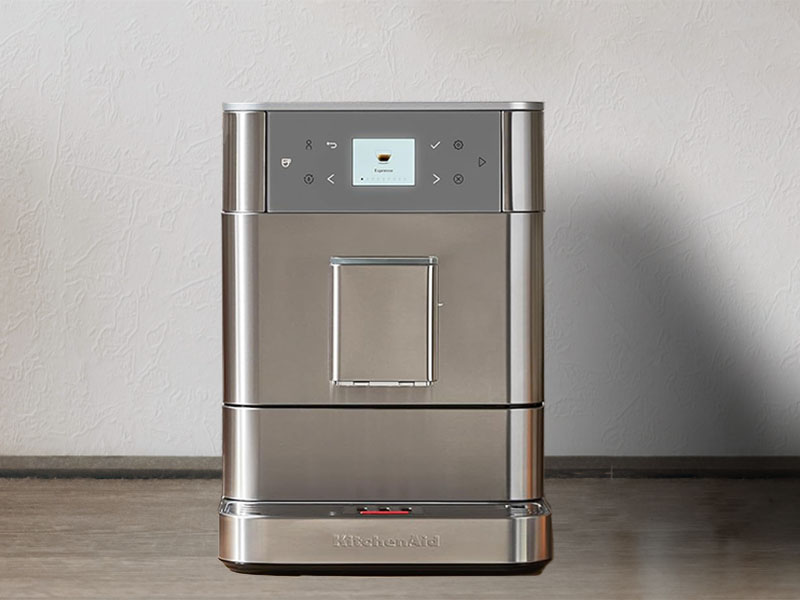
The KitchenAid KF6 is around $200 cheaper than the 5500 at RRP ($1200). But it has a lot fewer drink options and doesn’t offer iced drinks at all.
What it does do is brew far better coffee with a fantastic 15g dose. It also looks much sleeker for anyone who loves the minimalist style. Plus it’s still really easy to use.
The KitchenAid also doesn’t come with a milk container. So you can just put the hose into any container (a milk jug or even a mug), which keeps cleaning simple. The milk foam is good quality too.
One of our favorite features of the KitchenAid espresso machines is the sealable, swappable bean hoppers. This is a fantastic feature and even better than the Rivelia, as they have an airtight seal.
If you’re happy with the 7 drinks on offer from the KF6, we’d save the money and get this instead of the Philips 5500. Though overall, we still prefer the DeLonghi Rivelia.
Read next: Our in-depth KitchenAid KF6 review
Breville Barista Touch Impress
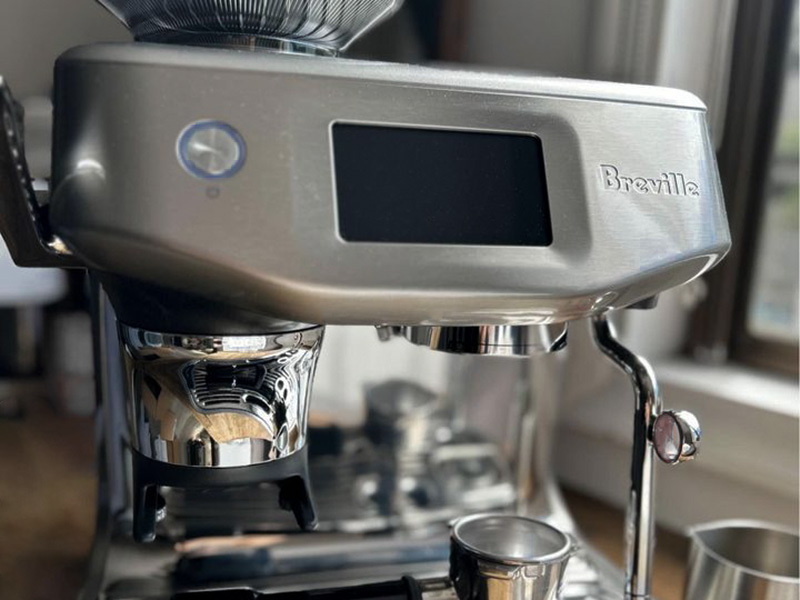
We LOVE Breville espresso machines. You can get truly barista quality coffee and milk foam and they hold your hand through the whole process.
The Barista Touch Impress is $100 more than the 5500 at RRP ($1500), but everything tastes so much better for that money.
The issue is that this is aimed at a very different type of coffee drinker. If you just want to push a button and get a coffee, then you’ll likely be overwhelmed by the options and features of a Breville machine.
Whilst the Barista Touch Impress does help you with tamping your grounds, you have to move the portafilter and fill the milk jug each time you use it. So it’s not as “automatic” as the others we’ve mentioned.
If you’re really interested in making great coffee at home, then the Breville Barista Touch Impress is a fantastic machine that you can use from novice to expert.
Those looking for simplicity are better off with the one of the other options.

Final Thoughts
It’s a great espresso machine at the right price.
The Philips 5500 is a well-designed espresso machine for people who’re looking for convenience. It’s easy to use, easy to clean, and offers more drink options than most beginners will ever need. For many first-time buyers, that simplicity will matter more than chasing perfect espresso shots.
That said, we wouldn’t pay full price for it. There are other machines offering better coffee and milk for similar money (like the DeLonghi Rivelia). When discounted, however, the Philips 5500 becomes a great option, especially if you enjoy iced coffee and want a no-fuss, push-button experience.
If you get a great deal on a Philips 5500, you’ll be delighted. Just be prepared for that initial phase of bad coffee and know that you’ll probably have to double up your shots to get a good flavor.
We’re not trying to bash them with our Philips 5500 review; we just don’t think it’s worth $1400. But then, maybe Philips don’t either, which is why it’s so frequently discounted.
Check if the Philips 5500 is on sale just now

You Might Also Like
-

Miele CM 6360 Review: Beautiful, Powerful, But Is It Right for You?
In this Miele CM 6360 review, we share our hands-on thoughts on who should buy it, who shouldn’t, and how it compares to Jura and Breville
-
Best Philips Espresso Machine: We Tested the 3300, 4400 vs 5500
Confused by the 3300, 4400, and 5500? We tested all 3 to show the real differences and help you choose the best Philips espresso machine